
If you’ve ever hooked up a trailer for a road trip, haul, or even a weekend camping adventure, you know how crucial trailer lights are—get pulled over with non-working brake or turn signals, and you’re dealing with a ticket, a delayed trip, or both. These days, wireless trailer lights are blowing up because they skip the messy, hardwired installation that used to mean crawling under your truck and fighting with frayed wires. As someone who’s been in the wireless trailer lights game for a few years now, I hear the same question over and over: do these things even need a signal booster? Spoiler alert: it’s not a straight yes or no, and it depends on way more than just the lights themselves. Let’s break this down like we’re grabbing a coffee after a long day on the road.
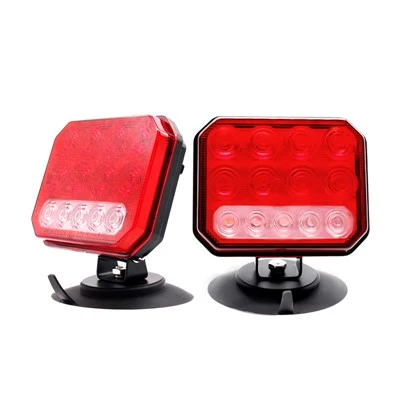
First, let’s quickly cut through the basics of how wireless trailer lights work, because half the confusion here comes from not getting that tiny part. Unlike wired systems that run a physical wire from your tow vehicle’s wiring harness all the way back to the trailer, wireless ones use a small transmitter (mounted on the back of your truck, usually where the 4-pin or 7-pin connector would go) that sends a radio frequency (RF) signal to a receiver on the trailer’s lights. That receiver then turns that signal into actual light for brakes, turns, and taillights. That’s why Wireless Trailer Tail Lights don’t need you to drill holes or snake wires through your trailer frame—total game changer for casual haulers who switch between trailers all the time, like if you have a boat one weekend and a utility trailer the next.
Now, here’s where the signal booster question comes in: that RF signal isn’t magic. It travels through air, but it can get messed up by all kinds of stuff—metal, distance, even weather. I’ve seen customers install Wireless Trailer Light Kit and yell at me saying “the turn signals cut out when I’m pulling my 20-foot equipment trailer!” only to realize their transmitter was tucked behind their truck’s heavy steel bumper, acting like a big metal shield blocking the signal. That’s not a bad product—that’s a setup issue, and it’s super common.
So when do you actually need a signal booster? Let’s list the scenarios where it makes sense, because that’s what most people actually want to know. First, distance. If your trailer is longer than 15 feet (or even 10 feet for some low-power kits), the RF signal has to travel farther, and it weakens the longer it goes. Basic wireless kits work great for small, compact trailers—like pop-up campers, ATV haulers, or small cargo trailers under 12 feet. But once you get to larger trailers, like 22-foot enclosed cargo or horse trailers, the signal has to go a lot farther, and terrain or extra metal framing can mess with it. I once had a customer with a 25-foot gooseneck trailer who tried a basic kit and couldn’t get the left brake light to work half the time—adding a small booster fixed it instantly.
Second, metal interference. This is the big one I mentioned earlier. Trucks with heavy steel bumpers, lifted trucks with big roll bars, trailers made entirely of thick aluminum or steel framing (no plastic sides to let signals through)—all of that blocks RF. The signal has to go from the transmitter on the back of the truck, through the metal of the bumper, up and over the truck itself, or around it, to get to the trailer. That extra distance and blockage kills signal strength. Even magnetic light setups—wait, Wireless Trailer Lights Magnetic are super popular for people who don’t want to drill anything, right? But if you stick them to a steel trailer frame instead of a plastic fender, that metal can mess with the receiver’s ability to pick up the signal too. A booster fixes that by amplifying the original signal before it has to fight through all that metal.

Third, dead zones or weird environments. If you do a lot of off-roading, or haul on dirt roads where there’s less open space, or even in areas with lots of cell towers, power lines, or other electronics pumping out RF noise— that’s a problem. Those background signals interfere with your trailer light’s frequency, making the original signal harder to pick up. I had a guy who hauled his race car to tracks in remote areas say his lights kept cutting out on curvy back roads with steep hills—turns out the hills were blocking the signal just enough, and adding a booster kept it consistent even when he was on tight, winding routes.
But wait—before you run out and buy a booster for every wireless light setup, let’s talk about when you don’t need one. For most small to medium trailers (under 15 feet) that don’t have tons of metal blocking the path, a basic kit works totally fine. I’ve had customers use Wireless Tail Light Kit on a 10-foot utility trailer for moving furniture, no issues at all, even when they’re driving 65 mph down the highway. If you’re mounting the transmitter on a clear part of your truck—like the back of the bed, not behind a bumper or spare tire—and the trailer has plastic sides or fenders, you probably won’t need a booster. I always tell new customers to test the setup first before buying extra stuff: plug in the transmitter, turn on your running lights, walk back to the trailer and wiggle the lights. If they work all the time, no booster needed.
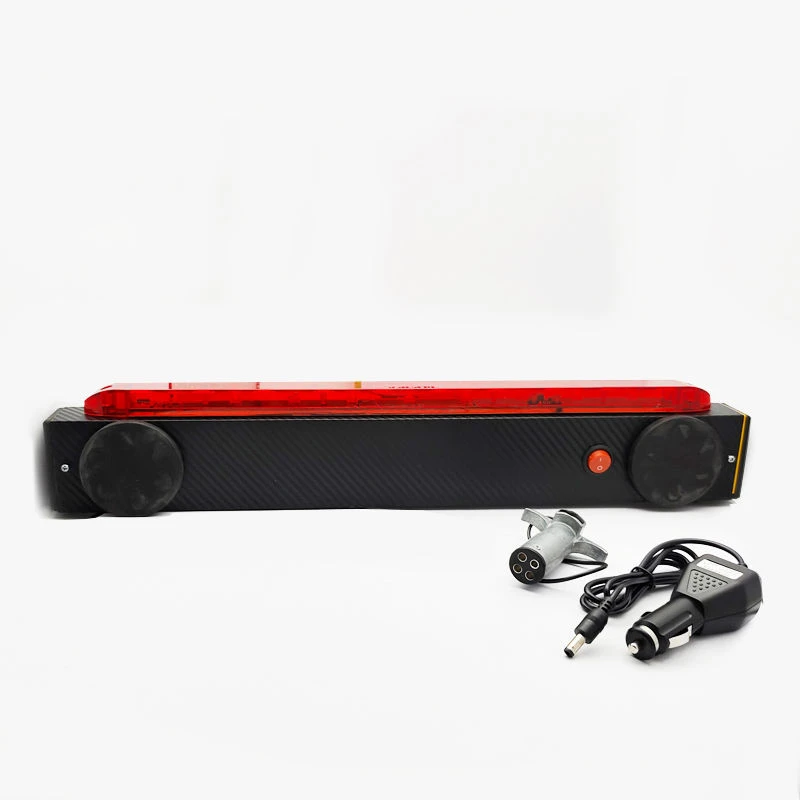
Another thing: modern wireless trailer lights are getting way better at signal strength these days. A lot of our newer kits use 2.4 GHz RF, which is less likely to interfere with other common devices (like Wi-Fi or Bluetooth) and has better range than older 900 MHz models. We’ve also designed our kits with longer-lasting batteries for the receiver, so even if the signal is a little weaker, the receiver can pick it up better. And if you’re hauling really heavy loads where you might not have space for a separate booster, we even have Tow Light Bar Wireless setups that combine lights and a tiny built-in signal amplifier, so you don’t need extra parts lying around.
Let’s talk about a few common mistakes people make that make them think they need a booster, when really it’s just a quick setup fix. First, mounting the transmitter wrong. If you tuck it under your truck’s bed or behind a metal bumper, move it to the top center of the back of your truck—most trucks have a little plastic or plastic-coated area there that’s perfect, no metal blocking. For magnetic lights, making sure they’re stuck to a non-metal part of the trailer, or if you have to use metal, sticking a small plastic pad between the light and the metal to let the signal through. Second, battery levels. If the receiver on the trailer has dead batteries, that’ll make the lights flicker or not work at all, and people often blame the signal instead of checking the batteries. That’s an easy fix, no booster needed. Third, pairing the transmitter and receiver correctly. A lot of people skip the pairing step, so the two aren’t synced, leading to spotty signal. Pairing takes 30 seconds, and it’s in the instructions—just because the instructions are a tiny card doesn’t mean they’re not important!
Now, if you do end up needing a booster, it’s not as big a deal as it sounds. A good signal booster is small—usually the size of a phone charger—and mounts between your transmitter and the truck, or on the trailer’s receiver side. It just amplifies the original signal so it’s strong enough to get through metal, distance, or interference. It doesn’t replace the kit, it works with it, so you don’t have to buy a whole new set of lights. I always tell customers to only get a booster if they’ve tried the setup basics first: mounted the transmitter correctly, replaced the receiver batteries, paired the two, and tested on a short trip. If after all that the lights are still cutting out, a booster is the right call, not a band-aid.
Let’s wrap this up with a quick real-life example, since that’s what helps most. Last month, a customer brought his 22-foot enclosed camping trailer into our shop, said his wireless lights were working fine when he first installed them, but once he loaded up all his gear and hooked it up, the brake lights cut out when he was going down the highway. He thought the lights were defective, but when we tested it, the transmitter was tucked behind his truck’s heavy steel bumper—once we moved it to the top of the bed, the signal was perfect, no booster needed. Another customer had a 25-foot gooseneck, trailer made almost entirely of steel, and after moving the transmitter, the signal still cut out when he was pulling it. We added a $30 booster, he took it on a trip to Texas, and texted me a pic of the lights all working, said he didn’t get pulled over once for trailer lights. That’s exactly what we’re here for.
At the end of the day, wireless trailer lights don’t require a booster by default. It’s all about your setup, your trailer’s size and construction, and how far you’re pulling it. Most people will never need one, especially if they stick to the installation basics. But if you’re dealing with large trailers, metal interference, or weird environments, a booster is a simple, cheap fix to keep your lights working reliably. If you’re in the market for a wireless trailer light kit, or you’re having signal issues with your current setup, we’re here to help—no pressure, just honest advice. Just reach out to our team, and we’ll walk you through whether a booster is right for you, or if it’s just a quick setup tweak. Don’t get stuck on the side of the road with non-working trailer lights—take 10 minutes to test your setup before you hit the road, and you’ll save yourself a ton of headache.
REFERENCES
- Federal Motor Carrier Safety Administration. (2021). Commercial Driver’s Handbook: Lighting and Signaling Requirements. Retrieved from fmcsa.dot.gov
- Wireless Technology Alliance. (2022). RF Signal Interference in Recreational Vehicle and Trailer Systems. Retrieved from wtaliance.org
- North American Trailer Manufacturers Association. (2023). Guide to Wireless Trailer Lighting Installation and Troubleshooting. Retrieved from nataonline.org